An agreement with a customer often ends up in three places at once: part of it in an e-mail, part in a message on someone's private phone and part in the sales rep's memory. When someone goes on holiday or leaves the company, the history of the agreement leaves with them. Toscana Meet moves this communication into the ERP, where the offers, orders and work orders already are.
Where agreements get lost
In most of the companies we work with, internal communication runs through the apps employees already have on their phones. That is understandable: they are free and everyone knows how to use them. The problem comes later.
- Messages are on private devices, so the company cannot see them or keep them.
- An offer sent to a colleague in a private app does not know which project it belongs to.
- A meeting with a customer needs yet another tool, and the customer sometimes has to install a program just to join.
- When a new employee takes over a customer, they cannot see what was agreed before them.
A sales team's day with Toscana Meet
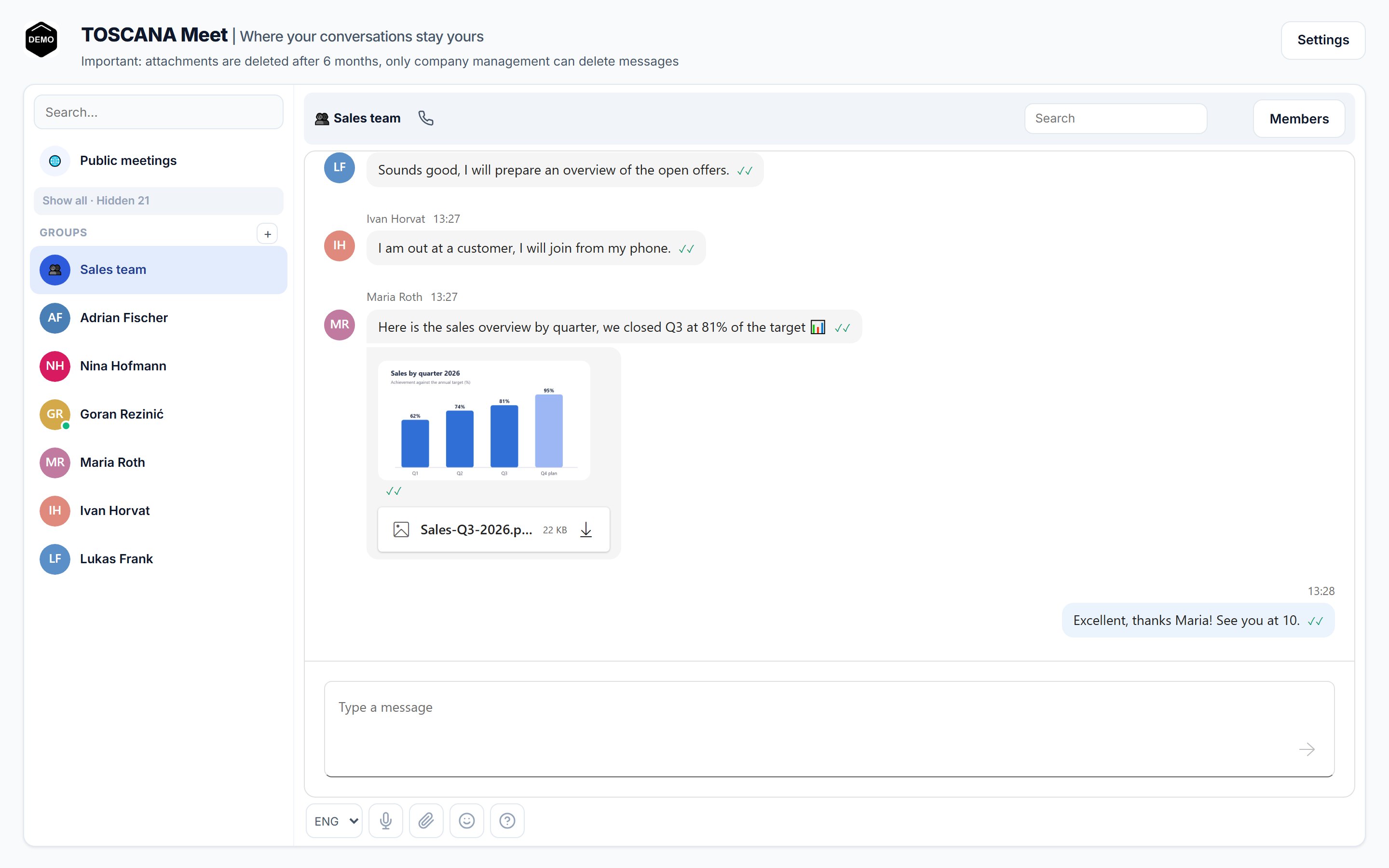
Take a sales team of four. In the morning the sales manager announces a short meeting at 10 o'clock in the Sales team group. A colleague posts the sales overview by quarter in the same group as an image. A colleague who is out in the field replies from his phone that he will join from the car.
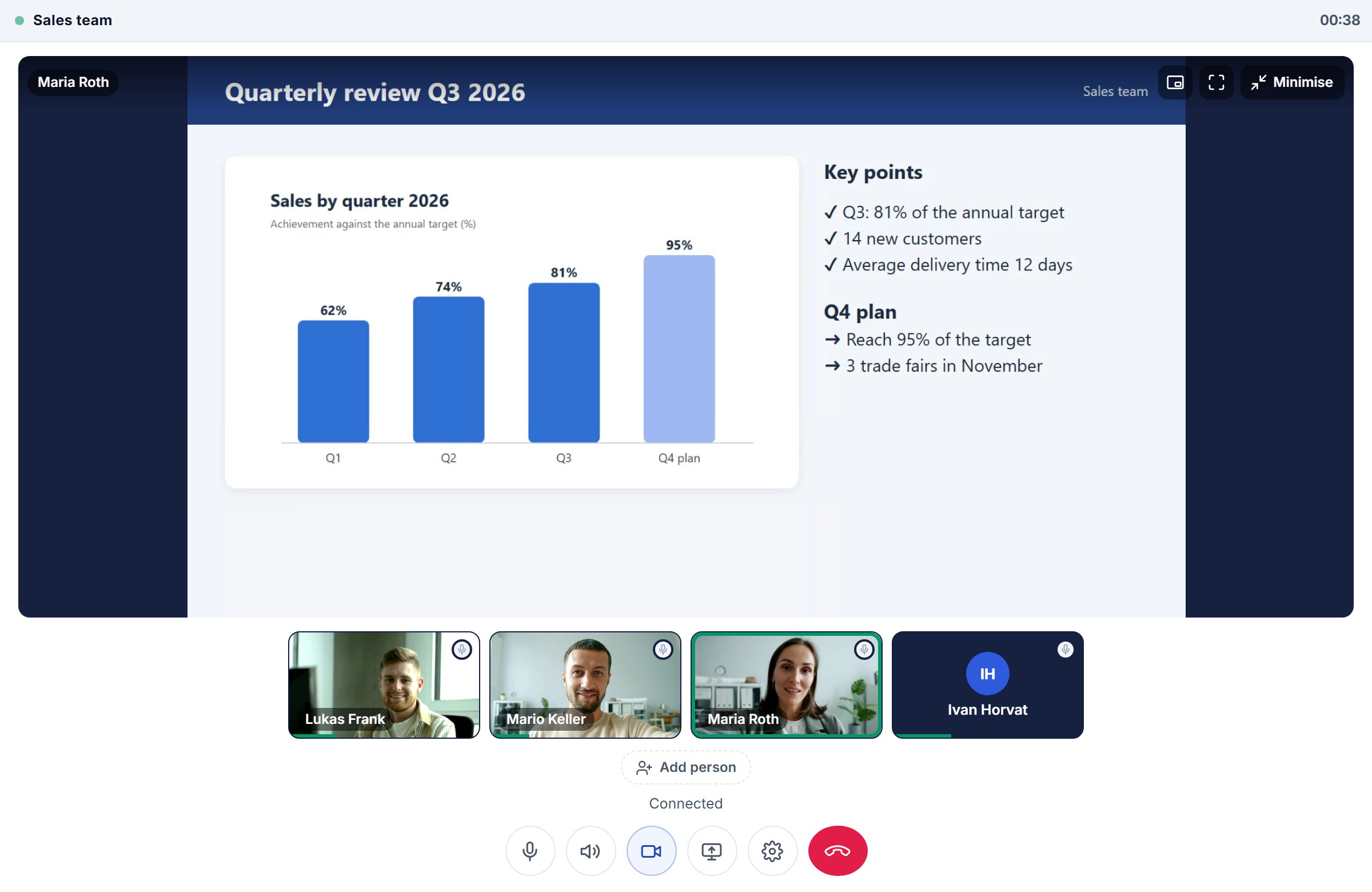
At 10 the manager starts a call from the group. The call rings all members, and anyone who does not answer straight away joins later. Three of them switch on their cameras; the colleague in the field talks without one. A colleague then shares the quarterly results presentation and everyone follows it in a large view while the cameras keep running.
In the afternoon the colleague in the field sends a photo of a catalog sample the customer has just approved. The manager replies that he will open a work order as soon as the order arrives. All of this stays in the ERP, and the conversation also contains a record of the call: when it took place, how long it lasted and who took part.
A meeting with a customer without installations or user accounts
For a meeting with a customer or a supplier you open a public meeting. The organizer enters a name, the planned date and how long the link stays valid, and then sends the link to the customer by e-mail.
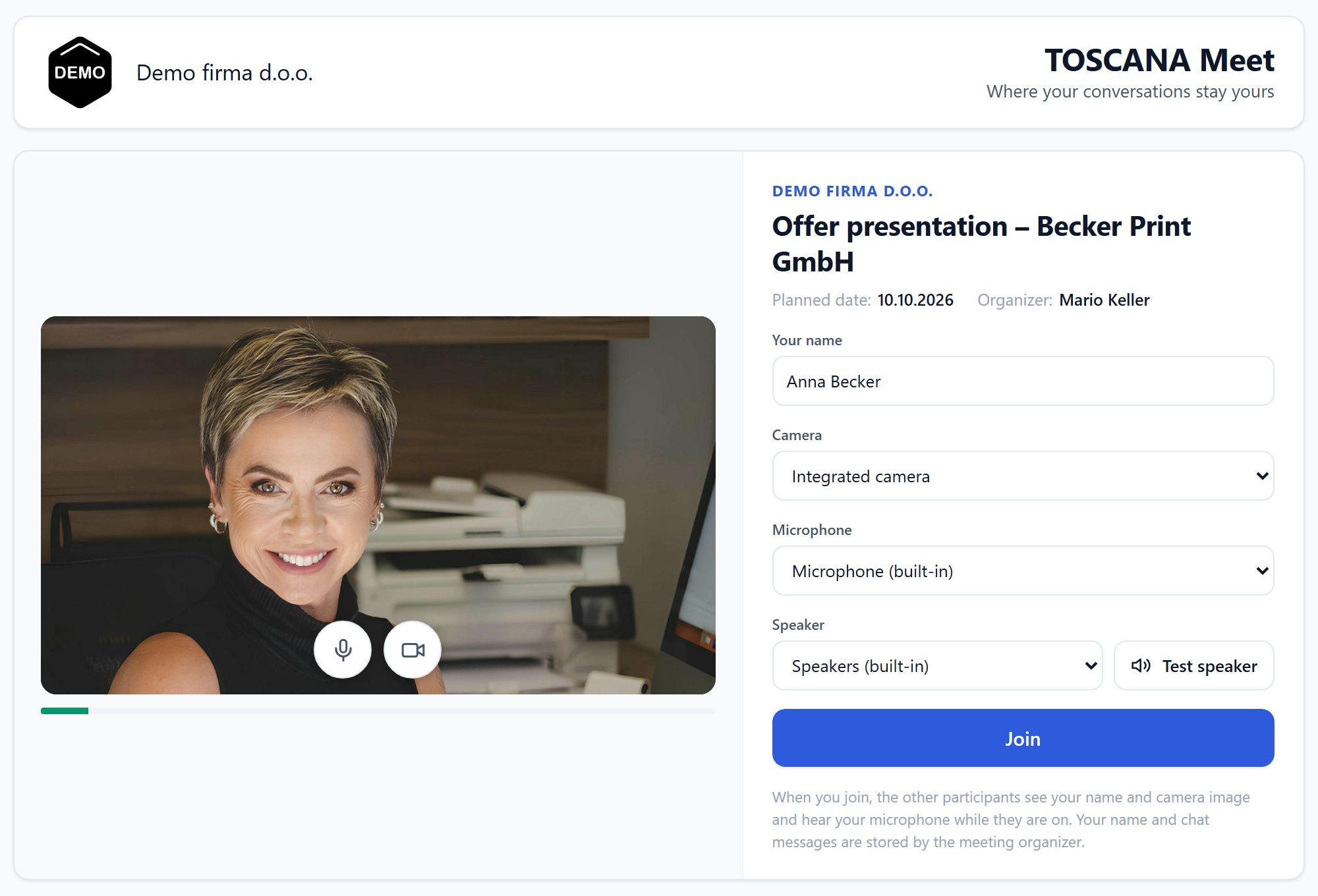
The customer opens the link in a browser on a computer or a phone. They need neither Toscana nor a user account. On the pre-join screen they enter their name and check the camera, microphone and speaker. Clicking Join takes them to the waiting room; the organizer gets a notification and lets them into the meeting with one click. Any colleague from the company who is in the meeting can also let guests in.
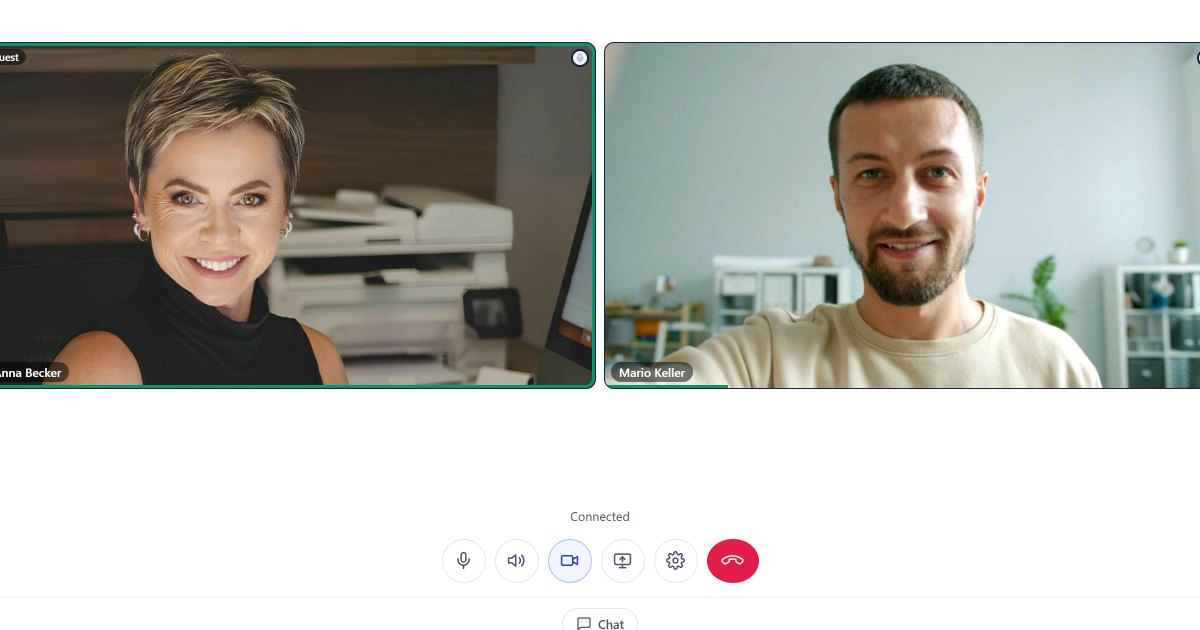
In the meeting the customer can switch on the camera, share their screen and write in the meeting chat, which also accepts files. The meeting ends with the End for everyone button or when the link expires, and after that the link no longer leads anywhere.
All public meetings stay in one table for easy overview and editing: the topic, the agreed date, the person you met with and the meeting chat history, and once recording is available, the video recording as well. When you need to check a month later what was agreed with a customer, you do not search through e-mails and notes; you open the meeting.
Notifications and working in the field
Chat only makes sense if a message reaches the person it is meant for. A new message is therefore announced with a sound and a desktop notification, on any ERP screen. Everyone can set their status to Busy or Do not disturb, and anyone who wants to can switch on an e-mail for unread personal messages in the chat settings (it is off by default). It arrives after one, three or six hours. The e-mail does not contain the message text, only a note that someone is trying to reach you.
On a phone the ERP installs as an app, and the icon on the home screen is your company's logo. Notifications then arrive even when the app is closed. A sales rep in the field can answer colleagues, send photos and join calls without a laptop.
What you gain
- The history stays in the company. Messages and attachments are stored in the ERP, not on private phones.
- One tool fewer. Chat, calls, screen sharing and meetings with partners work in the system employees sign in to anyway.
- No obstacles for the customer. A link and a browser are all they need for a meeting.
- Management sets the rules. It decides how long attachments are kept (6 months by default), who may create groups and who can see public meetings. Only management can delete messages.
Limitations and what is coming soon
Calls and groups are meant for employees of the same company. People outside the company join only through a public meeting link. The screen is shared from a computer; on a phone a shared screen can only be watched. A public meeting can have up to 25 participants.
Recording of calls and meetings is in the final stage of development and will be available in the coming days. Recordings will be stored on your company's file server. You decide how long they are kept: the default is 30 days, after which a recording is deleted automatically. You will be able to share a recording via a link, for example with a colleague who was not at the meeting or with a customer you want to send the agreement to.
How to start
Toscana Meet is part of Toscana ERP and opens with the messages button in the bottom right corner or on the Chat screen. On a phone the ERP installs as an app directly from the browser, and notifications about new messages then arrive even when the app is closed. An overview of all features with screenshots is on the Communication (Toscana Meet) page, and step-by-step instructions are in the user manual.
Show us how you work – in 45 minutes we show you the system using your company as the example. Send an inquiry.